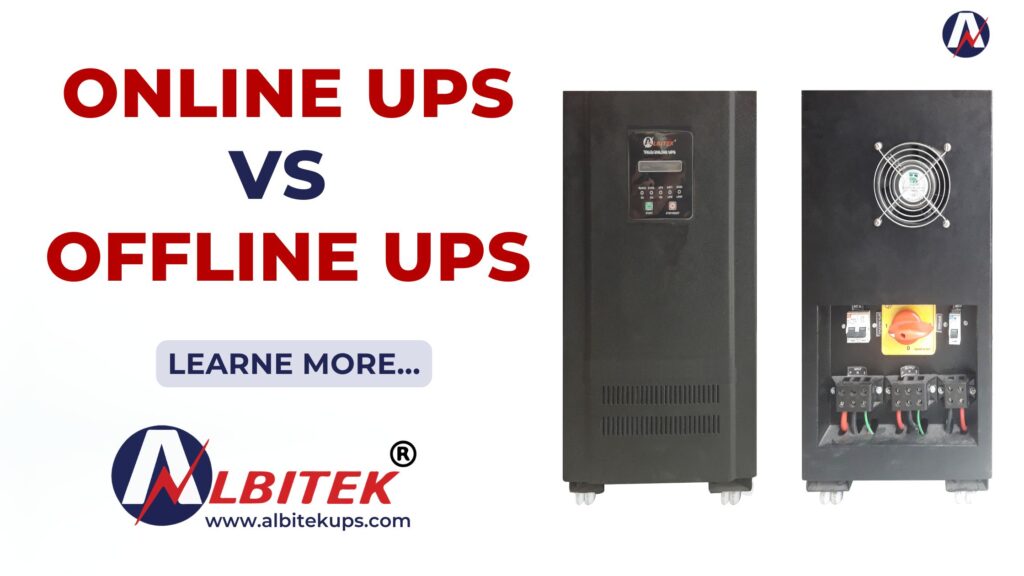
Difference Between Online UPS and Offline UPS – Complete Guide 2026
Difference Between Online UPS and Offline UPS
Power cuts, voltage fluctuations, and sudden electrical failures can damage expensive electronic devices. This is why UPS systems have become essential for homes, offices, hospitals, industries, and data centers. However, many people get confused between Online UPS and Offline UPS while choosing a power backup solution. In this detailed guide, we will explain:
- What is Online UPS
- What is Offline UPS
- Main differences between Online and Offline UPS
- Advantages and disadvantages
- Which UPS is best for your needs
- Industrial and commercial applications
- Expert buying tips
If you are planning to buy a UPS system, this guide by Albitek UPS will help you make the right decision.
What is a UPS?
UPS stands for Uninterruptible Power Supply. It is a device that provides emergency power backup during electricity failure and protects equipment from voltage fluctuations, surges, and power interruptions. UPS systems are commonly used for:
- Computers
- Servers
- CCTV cameras
- Hospitals
- Data centers
- Telecom systems
- Industrial machinery
- Office equipment
There are mainly two popular types of UPS systems:
- Online UPS
- Offline UPS
What is an Online UPS?
An Online UPS continuously supplies power to connected devices through its inverter system. The equipment always receives power from the UPS battery and inverter instead of direct mains electricity.
This means there is zero transfer time during power failure.
How Online UPS Works
In Online UPS:
- AC power converts into DC
- Battery stores the DC power
- Inverter converts DC back to AC
- Equipment receives clean and stable power continuously
Because the inverter always powers the load, connected devices never experience interruption.
Key Features of Online UPS
- Zero transfer time
- Continuous clean power supply
- Excellent voltage regulation
- Protection from spikes and surges
- Suitable for sensitive equipment
- High reliability
Advantages of Online UPS
1. Zero Transfer Time
Online UPS provides instant backup without any delay.
This is extremely important for:
- Servers
- Data centers
- Medical equipment
- Networking systems
2. Better Power Protection
It protects devices from:
- Voltage fluctuations
- Frequency variations
- Electrical noise
- Power surges
3. Ideal for Sensitive Equipment
Sensitive systems require stable power continuously. Online UPS ensures smooth operation.
4. Continuous Battery Support
Since the inverter continuously supplies power, there is no switching interruption.
Disadvantages of Online UPS
1. Higher Cost
Online UPS systems are more expensive than offline UPS.
2. More Heat Generation
Continuous operation generates more heat.
3. Higher Power Consumption
It consumes slightly more electricity because the inverter remains active all the time.
What is an Offline UPS?
An Offline UPS directly supplies mains electricity to connected devices during normal conditions. The battery and inverter become active only during power failure.
There is a small switching delay during power cuts.
How Offline UPS Works
In Offline UPS:
- Devices receive direct AC power from mains
- Battery remains in charging mode
- During power failure, inverter switches ON
- Battery supplies backup power
This switching process takes a few milliseconds.
Key Features of Offline UPS
- Affordable pricing
- Simple design
- Low maintenance
- Good for basic applications
- Lower electricity consumption
Advantages of Offline UPS
1. Budget-Friendly
Offline UPS is economical for home and small office use.
2. Energy Efficient
It consumes less electricity during normal operation.
3. Compact Design
Smaller and lightweight compared to Online UPS.
4. Easy Installation
Suitable for beginners and small businesses.
Disadvantages of Offline UPS
1. Transfer Time Delay
There is a small delay while switching to battery mode.
2. Limited Power Protection
Not suitable for highly sensitive devices.
3. Less Stable Output
Power quality may fluctuate during switching.
Difference Between Online UPS and Offline UPS
| Feature | Online UPS | Offline UPS |
|---|---|---|
| Working Mode | Inverter always active | Direct mains supply |
| Transfer Time | Zero | 2–10 milliseconds |
| Power Protection | Excellent | Basic |
| Voltage Regulation | Superior | Limited |
| Cost | Higher | Lower |
| Efficiency | Moderate | High |
| Heat Generation | More | Less |
| Best For | Servers, industries, hospitals | Home, PCs, CCTV |
| Reliability | Very High | Moderate |
| Maintenance | Higher | Lower |
Which UPS is Better?
The answer depends on your application and power requirements.
Choose Online UPS If You Need:
- Continuous power supply
- Zero downtime
- Protection for sensitive equipment
- Industrial backup
- Server or data center protection
Best Applications
- Hospitals
- Data centers
- Banks
- Industrial automation
- Telecom systems
- IT companies
Choose Offline UPS If You Need:
- Affordable backup solution
- Home computer protection
- Basic office backup
- CCTV power backup
Best Applications
- Homes
- Small offices
- WiFi routers
- Desktop computers
- Retail shops
Online UPS Applications
Online UPS systems are widely used in industries where power interruption is unacceptable.
Common Applications
- Data Centers
- Medical Equipment
- Industrial Machines
- CNC Machines
- Laboratories
- Telecom Networks
- Banking Systems
Offline UPS Applications
Offline UPS systems are mainly used for less critical devices.
Common Applications
- Home Computers
- CCTV Cameras
- WiFi Routers
- Small Businesses
- POS Machines
- Printers
How to Choose the Right UPS
Before buying a UPS, consider these factors:
1. Load Capacity
Calculate total wattage of connected devices.
2. Backup Time
Choose battery capacity according to required runtime.
3. Equipment Sensitivity
Sensitive devices need Online UPS.
4. Budget
Offline UPS is cheaper, but Online UPS offers better protection.
5. Future Expansion
Choose scalable UPS systems for business growth.
Why Businesses Prefer Online UPS
Modern businesses depend heavily on uninterrupted power.
Even a few seconds of power failure can cause:
- Data loss
- Server crashes
- Production stoppage
- Financial losses
This is why companies prefer reliable solutions from Albitek UPS for industrial and commercial applications.
Why Albitek UPS is a Trusted Power Backup Brand
Albitek UPS provides advanced UPS solutions for homes, offices, industries, hospitals, and data centers.
Key Benefits
- High-performance Online UPS
- Reliable Offline UPS
- Long battery life
- Advanced protection systems
- Affordable pricing
- Professional support
- Industrial-grade quality
Frequently Asked Questions (FAQs)
Which UPS is best for home use?
Offline UPS is generally best for homes because it is affordable and suitable for computers, WiFi routers, and CCTV systems.
Which UPS is best for servers?
Online UPS is best for servers because it provides zero transfer time and continuous clean power.
Is Online UPS more expensive?
Yes, Online UPS systems are costlier due to advanced technology and superior protection features.
Can Online UPS save electricity?
Online UPS provides better protection but may consume slightly more power than Offline UPS.
What is transfer time in UPS?
Transfer time is the delay between power failure and battery backup activation.
Online UPS has zero transfer time, while Offline UPS has a small delay.
Final Conclusion
Understanding the difference between Online UPS and Offline UPS is important before purchasing a power backup system.
- Online UPS is ideal for critical and sensitive equipment where uninterrupted power is essential.
- Offline UPS is suitable for homes and small offices looking for budget-friendly backup solutions.
If you want maximum protection, reliability, and performance, Online UPS is the better choice.
For affordable and reliable UPS solutions, explore professional products from Albitek UPS.
Which UPS is best for home use?
Offline UPS is generally best for homes because it is affordable and suitable for computers, WiFi routers, and CCTV systems.
Which UPS is best for servers?
Online UPS is best for servers because it provides zero transfer time and continuous clean power.
Is Online UPS more expensive?
Yes, Online UPS systems are costlier due to advanced technology and superior protection features.
Can Online UPS save electricity?
Online UPS provides better protection but may consume slightly more power than Offline UPS.
What is transfer time in UPS?
Transfer time is the delay between power failure and battery backup activation. Online UPS has zero transfer time, while Offline UPS has a small delay.